

The WordPress-Native SEO Content Workflow
The WordPress-Native SEO Content Workflow
Workflow Genie for WordPress
£19.99/mth
Cancel before your next renewal at any time.
First-time monthly customers can cancel and request a full refund within 30 days of their first payment. Terms apply.
Good content rarely fails because the team has no ideas. It stalls because research, briefs, drafts, feedback, and approvals are scattered across too many places.
That is a workflow problem.
A2A Workflow Genie solves it inside WordPress.
The difficult part is moving the right idea from research to a useful, accurate, approved page. Teams with a repeatable, reviewable process can keep valuable work moving.
Without one? More tabs, more chasing, and more unfinished content.
A2A Workflow Genie gives your WordPress site that process.
A2A Workflow Genie is the WordPress-native production system that turns keyword opportunities into approved plans, carefully edited drafts, and scheduled content.
Your team works where the content already lives. There is no separate content platform to learn, no disconnected SaaS workspace to manage, and no finished copy to push back into WordPress.
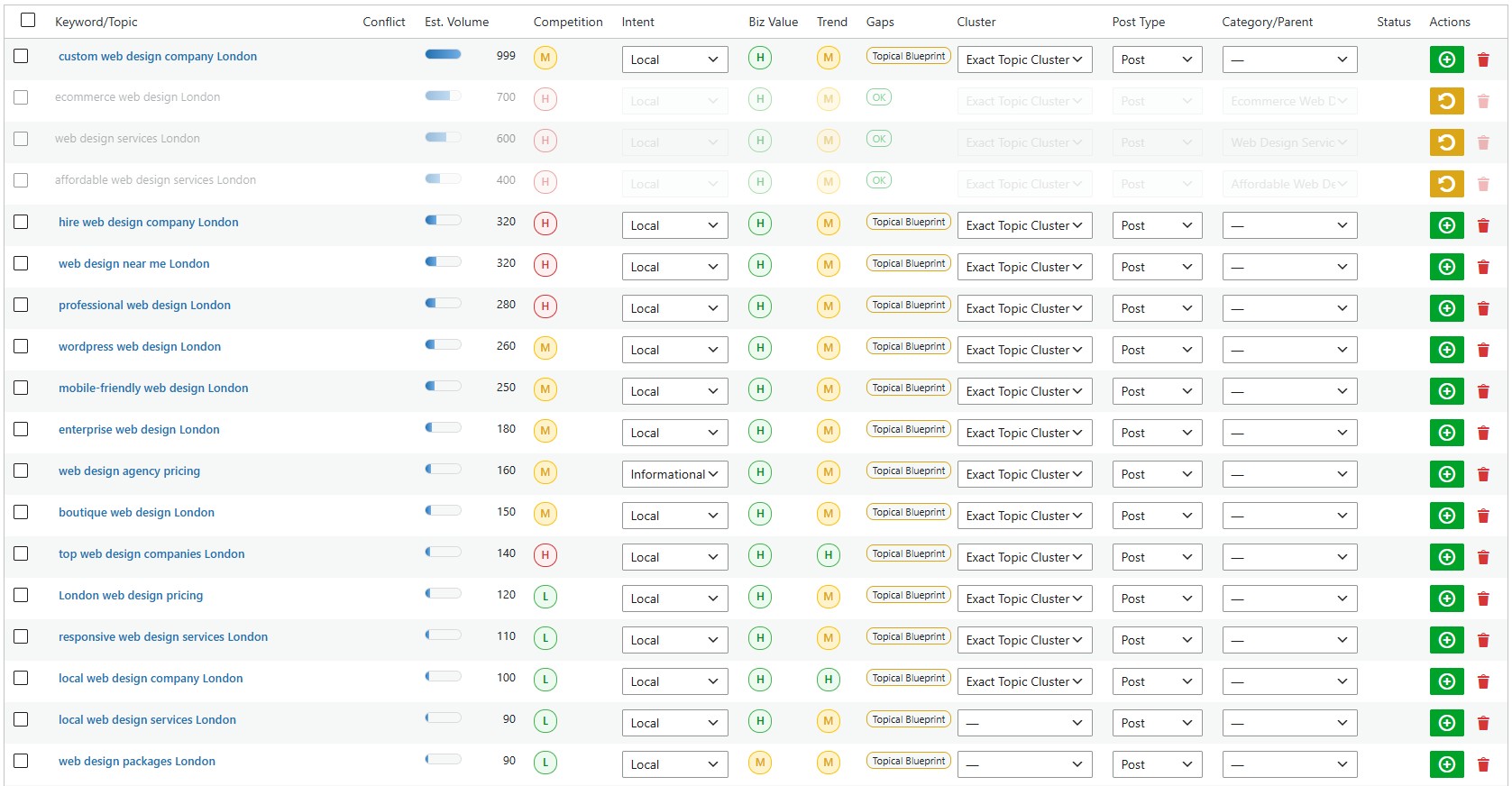
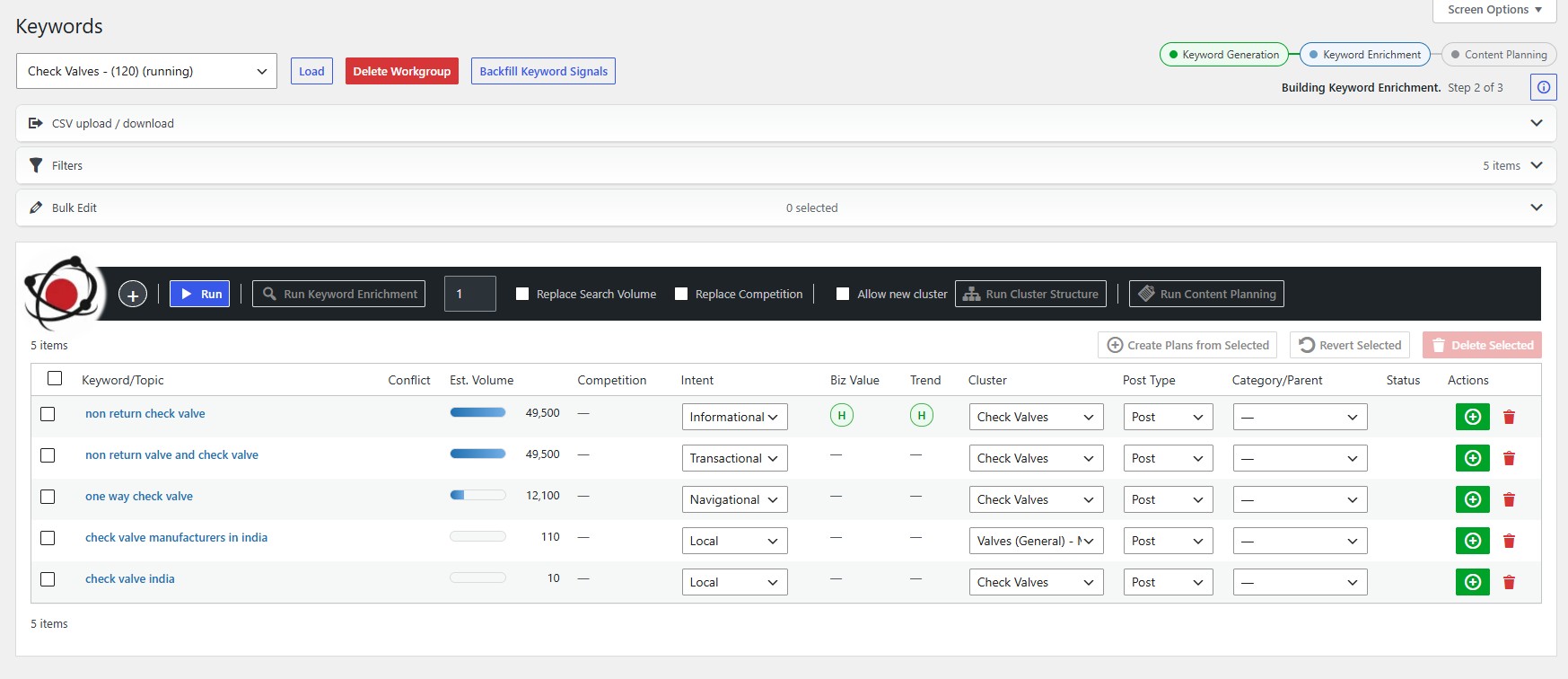
Move from keyword discovery
to role-controlled review, editing, scheduling, and publication
✔
Curate
keyword opportunities before they consume planning time.
✔
Plan
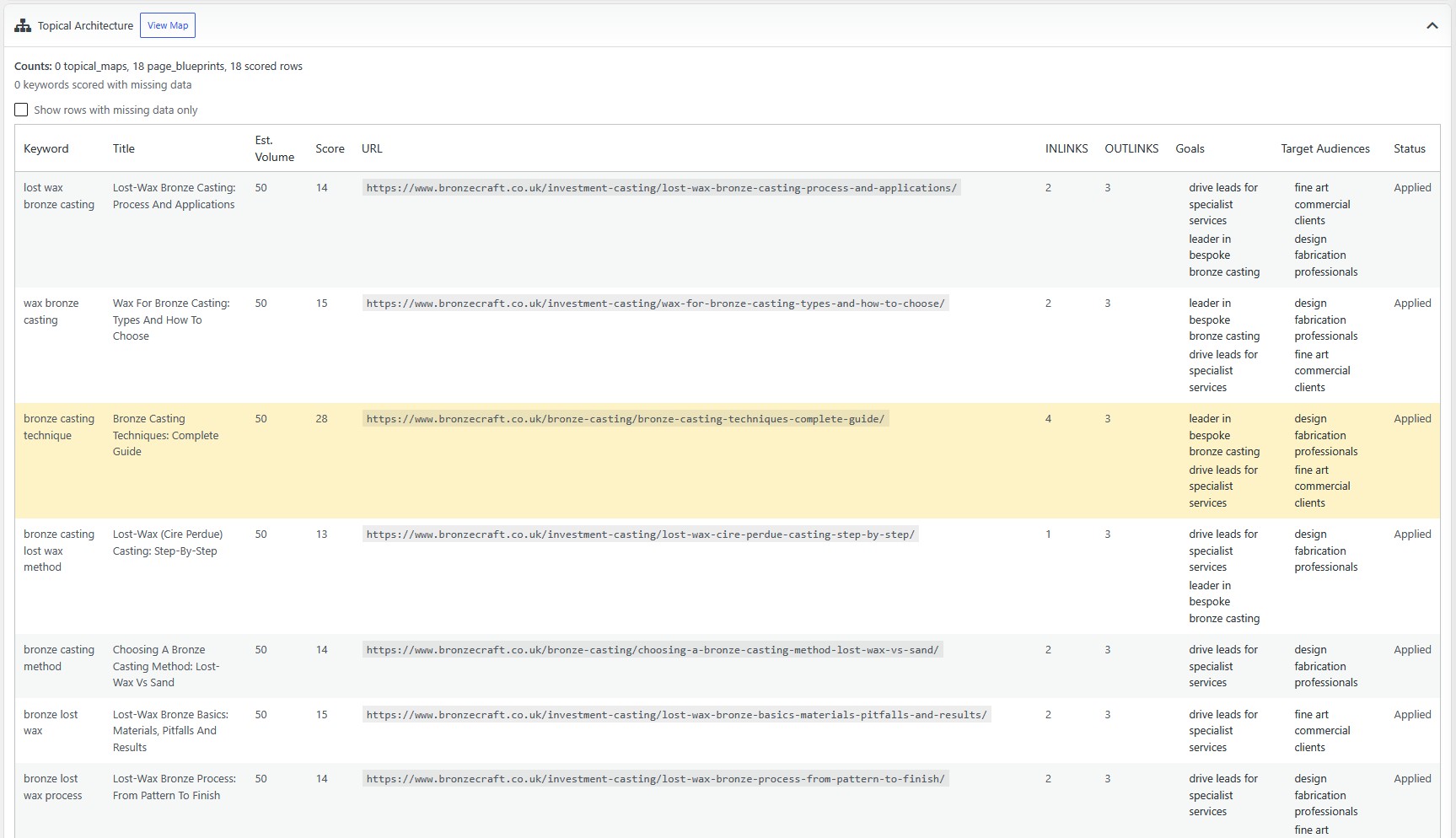
the page, purpose, outline, ownership, and publishing target.
✔
Govern
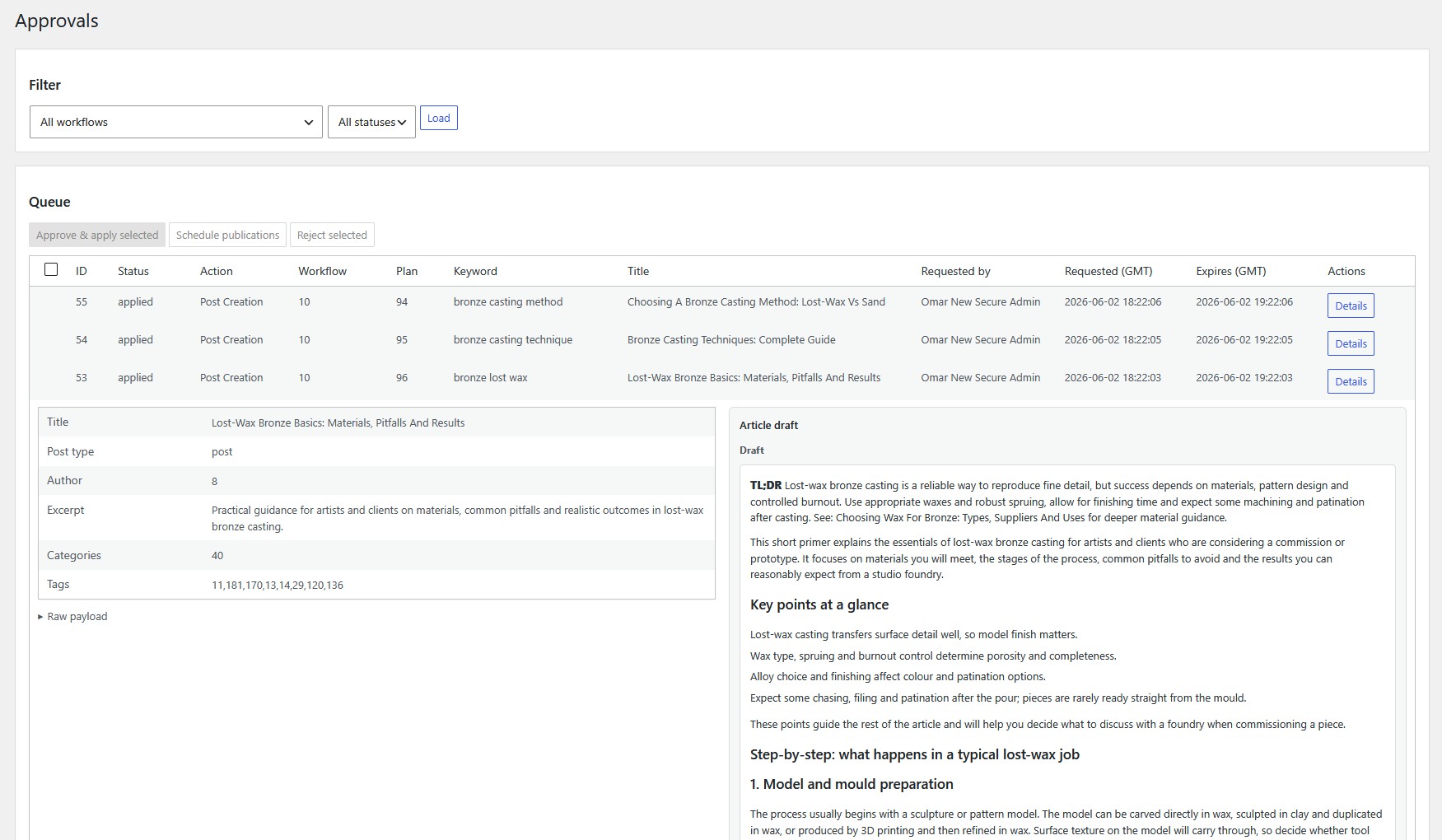
who can review, approve, edit, schedule, and publish.
This is not another blank-page AI writer. It is a WordPress-native content workflow that handles the repetitive production work while your people concentrate on accuracy, originality, persuasion, brand voice, and reader experience.
| Workflow Genie + MCP |
|---|
| One Connected WordPress Content Workflow Keyword Discovery, Import & Selection Reviewed Content Plans & Editorial Briefs Editable Titles, Excerpts & Outlines Role-Based Keywords, Planning & Approvals Access Approval-Controlled WordPress Drafts Human Editing Before Scheduling & Publication Bulk Scheduling for Approved Content WordPress Authors, Post Types & Taxonomy Controls Visible Progress, History & Recovery Tools Controlled Workflow Genie MCP Execution Priority support Regular updates |
£19.99/mth |




| A2A Workflow Genie + MCP + AI Team |
|---|
A complete WordPress content workflow with AI assistance:
|
A2A Workflow Genie + MCP: A2A AI Team Pro: 500 AI Team Pro credits per month
|
£34/mth |




| A2A Suite |
|---|
AgentPress plus the A2A Suite:
|
A2A AI Team Pro: The Connected A2A SEO Stack:
|
£67/month
|
A2A AI Team adds task-focused AI Assistants across the A2A Suite.
All subscriptions include ongoing support & upgrades throughout subscription period. Cancel anytime.
↓
↓
✔ Keywords → Approval → Planning → Approval → Draft → Approval → Editing → Bulk Schedule → Publish
Your team does not have to run its content operation from somebody else’s cloud dashboard. Inside WordPress, administrators can choose:
Each person sees the work they need without receiving control of the whole pipeline. Plans, drafts, approvals, schedules, and outcomes remain connected to the WordPress website instead of being managed in a separate content service.

The work around content can consume more time than the content itself: moving information, preparing briefs, checking progress, chasing approvals, and keeping specialists aligned. Workflow Genie handles that production process in WordPress, so your team can focus on the work that drives engagement and sales:
Workflow Genie handles the production machinery. Your team concentrates on creating the substance that makes people read, engage, and buy.
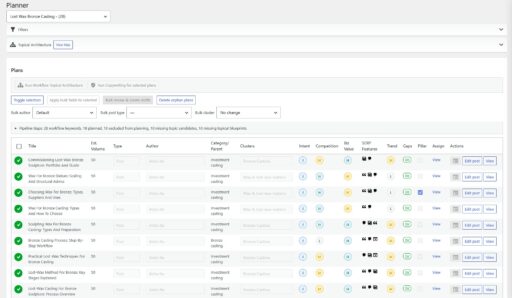
Built for

Workflow Genie is the production system. Pair it with A2A AI Team when you want AI-assisted research, planning, and drafting inside the same reviewed WordPress process.
* AI Team Assistant availability and usage depend on the AI Team plan you choose.
AI Team helps create the starting material. Workflow Genie controls the route from idea to publication. Your team turns the draft into content people genuinely want to read and act upon.
(A2A AI Team is available separately or as part of the Full A2A Suite.)
Research: useful keywords become scattered rows and disconnected notes
Planning: titles, outlines, owners, and targets drift between tools
Editing: AI-generated drafts move too quickly without enough human curation
The real risk appears when nobody can see what is ready, who owns the next decision, or what still needs approval.
Site owners who connect research to production can build:

Production policies: choose how Workflow Genie should operate:
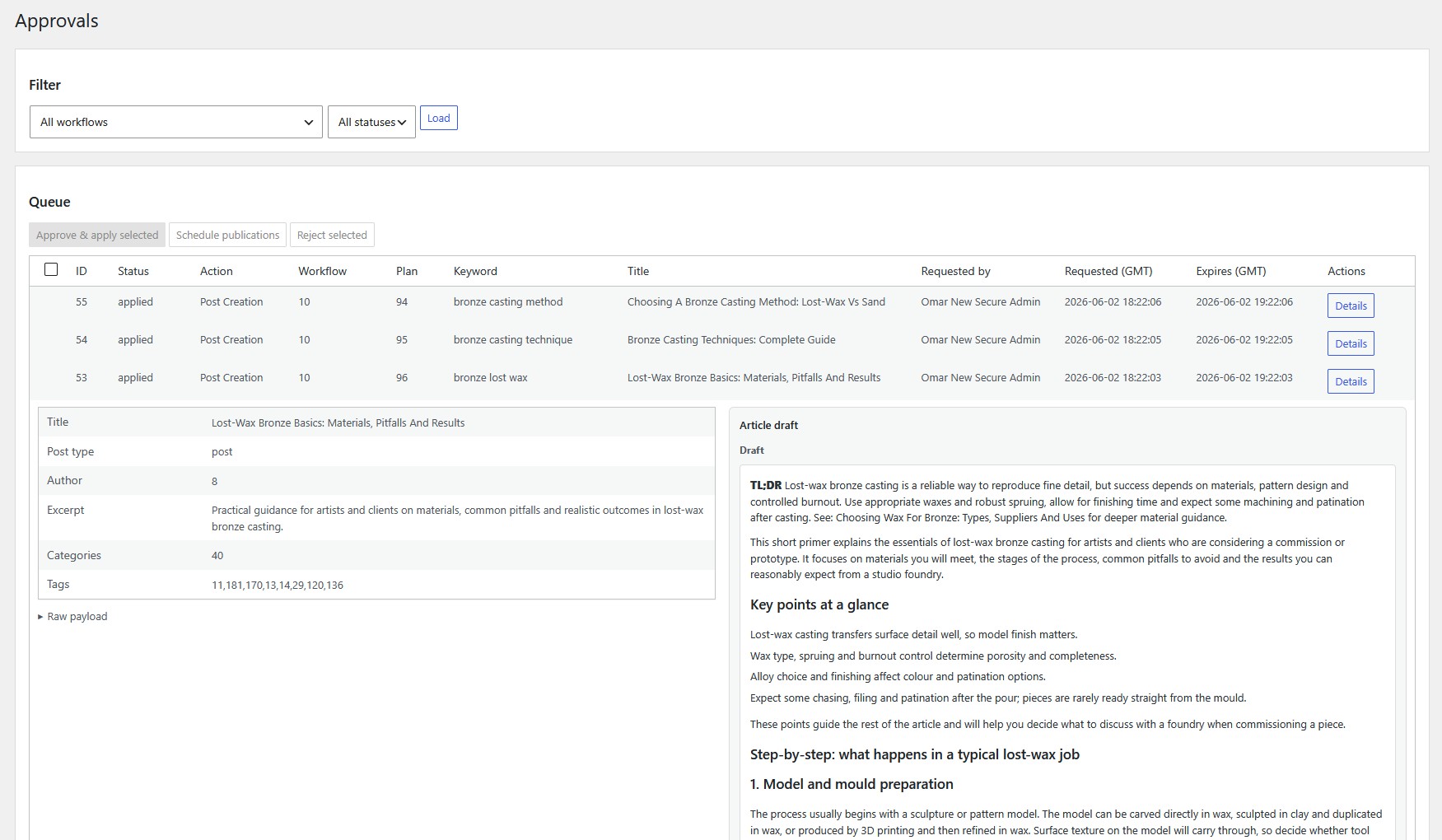
Turn product and category research into a controlled backlog for posts, pages, products, and other permitted WordPress content types.
Separate research, planning, editing, approval, and scheduling responsibilities while keeping every decision connected to the draft.
Give specialists, writers, editors, and client approvers access to the stages they need without exposing the entire production pipeline.
Turn selected service and location opportunities into carefully reviewed content without allowing AI drafts to bypass human judgement.
Let SEO specialists curate Keywords, strategists own Planning, and authorised editors control Approvals and publishing decisions.
Create clear handoffs between researchers, planners, writers, editors, and publishers with role-based access to each core stage.
| Workflow Genie + MCP |
|---|
| One Connected WordPress Content Workflow Keyword Discovery, Import & Selection Reviewed Content Plans & Editorial Briefs Editable Titles, Excerpts & Outlines Role-Based Keywords, Planning & Approvals Access Approval-Controlled WordPress Drafts Human Editing Before Scheduling & Publication Bulk Scheduling for Approved Content WordPress Authors, Post Types & Taxonomy Controls Visible Progress, History & Recovery Tools Controlled Workflow Genie MCP Execution Priority support Regular updates |
£19.99/mth |
| A2A Workflow Genie + MCP + AI Team |
|---|
A complete WordPress content workflow with AI assistance:
|
A2A Workflow Genie + MCP: A2A AI Team Pro: 500 AI Team Pro credits per month
|
£34/mth |
| A2A Suite |
|---|
AgentPress plus the A2A Suite:
|
A2A AI Team Pro: The Connected A2A SEO Stack:
|
£67/month
|
A2A AI Team adds task-focused AI Assistants across the A2A Suite.
All subscriptions include ongoing support & upgrades throughout subscription period. Cancel anytime.
5 or 20 Sites
5 Sites
Seed Keyword Workflows
Keyword CSV Import & Validation
Keyword Filtering & Selection
Content Planning Queue
Editable Titles, Excerpts & Outlines
Author, Post Type & Taxonomy Defaults
Role-Based Keywords, Planning & Approvals Access
Approval-Controlled WordPress Drafts
Workflow Run, Cancel & Retry Controls
Event History & Health Checks
Workflow Genie MCP Execution Layer
Ongoing support
Regular updates
£99.95
Get in touch
20-Site Agency Licence
Seed Keyword Workflows
Keyword CSV Import & Validation
Keyword Filtering & Selection
Content Planning Queue
Editable Titles, Excerpts & Outlines
Author, Post Type & Taxonomy Defaults
Role-Based Keywords, Planning & Approvals Access
Approval-Controlled WordPress Drafts
Workflow Run, Cancel & Retry Controls
Event History & Health Checks
Workflow Genie MCP Execution Layer
Ongoing support
Regular updates
£399.80
Get in touch
Full A2A Suite
A2A Suite is the combined A2A operating system: every module is connected, every AI action shares your business context, and every improvement strengthens the next workflow.

A2A Workflow Genie is a WordPress-native content workflow plugin. It connects keyword selection, role-controlled approvals, content planning, draft creation, human editing, bulk scheduling, and publishing so the whole production process can be managed where the content already lives.
A generic AI writer starts with a prompt and returns text. Workflow Genie solves the larger production problem: deciding what to create, building a useful plan, assigning the right people, controlling approvals, improving the draft, and publishing through WordPress. When AI Team is configured, AI assists within that process rather than replacing it.
It is designed for website owners, in-house marketing teams, SEO specialists, writers, editors, publishers, ecommerce teams, and agencies that need a repeatable route from keyword opportunity to approved WordPress content.
The package includes the Workflow Genie production workflow and the Workflow Genie MCP execution layer. It covers keyword workflows, CSV import and validation, planning, role-based stage access, approval-controlled drafts, workflow controls, event history, health checks, support, and updates during the subscription.
No. Workflow Genie provides the WordPress workflow, planning, approvals, state management, and publishing process without moving your content operation into a separate SaaS workspace. AI Team is optional and adds AI Team Assistants for research, planning, and drafting. WordPress remains the home of the workflow.
Choose Workflow Genie + MCP for the core WordPress content production system. Choose the Full A2A Suite when you also want AI Team Pro and the connected A2A SEO tools—including Apollo, Schema Generator, and Internal Link Network—working with that system.
The single-site Workflow Genie + MCP subscription shown on this page is £19.99 per month. The page also offers Full A2A Suite and agency licensing options.
Yes. You can cancel before your next renewal. First-time monthly customers can also request a full refund within 30 days of their first payment, subject to the published terms.
Yes. Agency options for 5 or 20 sites are available on this page. They are intended for agencies or organisations managing the same production process across multiple WordPress websites.
Yes. Subscriptions include ongoing support and regular updates during the active subscription period. The single-site Workflow Genie + MCP package includes priority support.
The current product requirements are WordPress 5.0 or later and PHP 7.4 or later.
Yes. Existing posts and pages can remain part of the process. You can assign a target keyword in the WordPress editor, reconcile it into the Workflow Genie inventory, and use Direct Keywords backfill after legacy or bulk imports.
Yes, where those post types are available in WordPress and included in your configured allowlist. Workflow Genie supports posts, pages, WooCommerce products, and other permitted public post types.
Yes. Product and category research can move into a controlled backlog for WooCommerce products, product categories, posts, pages, and other allowed content types.
Yes. Import a CSV containing a keyword column and optional search-volume data, preview and validate it, choose how duplicates should be handled, and add the accepted rows to the selected workflow.
Yes. Keyword reuse can be restricted, and protected workflow states prevent certain meaning-changing edits after a keyword has been enriched, planned, claimed, or connected to active production work. This helps reduce accidental duplication and cannibalisation.
Yes. An administrator can separately choose which WordPress roles may open and work in Keywords, Planning, and Approvals. Supported choices include Administrator, Editor, Shop Manager, Author, and Contributor; administrators retain access.
SEO specialists can curate opportunities, planners can turn approved ideas into briefs, writers can work from those plans, and editors can improve the resulting drafts. Role-based stage access and connected workflow state make each handoff clearer without relying on separate spreadsheets and message threads.
No. Workflow Genie controls access to its Keywords, Planning, and Approvals stages. Editing and publishing continue to respect the appropriate WordPress roles and capabilities.
No. When AI Team is configured, copywriting can create a structured first draft from the reviewed plan. Your team can then refine accuracy, tone, clarity, formatting, and brand alignment before an authorised reviewer approves the work for scheduling and publication. Decisions and outcomes remain recorded.
No. It reduces repetitive production work and gives the team a stronger starting point. Human editing remains important for originality, accuracy, persuasion, expertise, brand voice, reader experience, and the final publishing decision.
Project Config is the saved business guidance used by your AI Team Assistants. It supplies consistent information about the site, business, audiences, goals, content rules, and positioning so plans and drafts are based on your project rather than a generic prompt.
Project Config can include the brand name and type, site URL, languages, regions and service areas, primary audiences, prioritised business goals, allowed post types and taxonomies, editorial rules, existing-content hints, competitive positioning, priority keywords, conversion mapping, topic exclusions, and brand-voice guidance.
When an AI Team Assistant helps with a stage, it uses Project Config alongside the current workflow and the task you requested. The Copywriting Assistant therefore receives the approved plan plus relevant business, audience, positioning, language, and content guidance before producing the first draft.
No. Project Config provides verified business guidance, but generated copy still requires human review. Editors should check facts, claims, prices, policies, locations, tone, and suitability before approval and publication.
Yes. Languages, regions, and verified service areas can provide relevant context for local-intent drafts. Service areas are treated as coverage information, not proof of rankings, physical branches, reviews, opening hours, or other unsupported claims.
Workflow Genie uses the validated search intent attached to a plan to select an appropriate outline and guide the draft. This helps an educational article teach, a comparison page support evaluation, and a transactional page move the reader towards a relevant action.
The Messaging Map supports Informational, Commercial, Commercial Investigation, Transactional, Navigational, Local, and Mixed intent. Each has a different reader objective and can use a tailored outline.
The Messaging Map lets you define the outline template used when a new content plan is generated. It connects search intent with the page’s role so the structure of the planned content matches what the reader needs.
Yes. Each Messaging Map outline can be edited up to 300 words. You can reset one outline, reset all outlines for an intent, or restore all defaults.
Supporting outlines are available by default. When A2A Apollo is active, you can optionally use separate Pillar and Child Pillar outlines alongside Supporting outlines. This allows broader authority pages and narrower supporting pages to receive different planned structures.
Workflow Genie provides seven Supporting intent templates by default. With A2A Apollo active and unique Pillar outlines enabled, the Messaging Map expands to 21 intent-and-role combinations.
No. Messaging Map changes affect new plans generated after you save. Existing plans retain the outline they were created with, protecting work that has already been reviewed.
Yes. Workflow Genie supports configured copywriting word-count targets for different intent types, with separate handling for Pillar content. Usable copy is preserved if it falls outside the target range, and the plan can show a warning for editorial review.
Yes. Depending on the plan state, you can review and edit the title, excerpt, outline, author, post type, taxonomies, parent, target, and other planning details before draft creation.
Yes. Approved content can be selected for scheduled publication in bulk, helping teams build and release an editorial calendar without opening and scheduling every article separately.
Live Workflow Status shows whether work is queued, running, completed, cancelled, or failed. Authorised users can run, cancel, retry, or run-now when the current state allows it. Workflow Genie keeps failures visible rather than marking unfinished work as complete.
Yes. Append-Only Events preserve a traceable history of changes and outcomes. Plans, approvals, task results, and related workflow state remain connected for review and support.
Health checks expose relevant environment and connectivity signals when work cannot continue. They help distinguish a workflow problem from a hosting, configuration, or connection problem.
MCP is the controlled execution layer used for registered Workflow Genie and A2A operations. It exposes explicit abilities for planning, previewing, approving, applying, verifying, and—where supported—rolling back work, while the feature plugin remains the source of truth for saved workflow state.
Not by discovery alone. Covered mutations use an explicit plan, preview, approval, and apply lifecycle. The approved operation must match the reviewed plan, and the result is recorded for verification.
Yes. Workflow Genie provides a predictable WordPress planning and approval workflow without AI Team Assistants. Your keyword decisions, plans, drafts, approvals, schedules, and publishing process remain connected to WordPress. Add AI Team Assistants only to the stages where you want their help.
Workflow Genie + MCP provides the core workflow and MCP layer. AI Team usage and credits depend on the AI Team plan you choose. The Full A2A Suite option on this page includes AI Team Pro and its advertised credit allocation.
No software can guarantee those outcomes. Workflow Genie improves the process: it helps teams choose opportunities, create consistent plans, preserve search intent, edit AI-assisted drafts carefully, and publish more reliably. Results still depend on strategy, content quality, competition, authority, promotion, and market demand.
Set the allowed post types, author and taxonomy defaults, keyword-reuse policy, approval requirements, and role access for Keywords, Planning, and Approvals. If using AI Team, complete Project Config and review the Messaging Map before generating new plans.
It is the distance between a promising keyword and publish-ready content, the scattered decisions, unclear ownership, inconsistent briefs, under-edited AI drafts, and approvals that vanish into email threads.
Let the software handle the workflow. Let your people create the value.
A2A Workflow Genie keeps keyword curation, role-based approvals, planning, drafting, editing, bulk scheduling, and publishing connected inside WordPress. Your team spends less time managing the process and more time producing content that informs readers, builds confidence, and supports growth.
Turn the next good idea into
carefully reviewed, publish-ready content…
Subscriptions include ongoing support & upgrades throughout the subscription period. Cancel anytime.
Works with WordPress 5.0+ and PHP 7.4+. Supports allowed WordPress post types and your configured taxonomy rules.
A2A Workflow Genie is part of the A2A Suite. Pair it with A2A AI Team for AI-enhanced workflow stages and A2A Apollo for connected cluster intelligence.